
Ask a nurse what makes a unit run and communication comes up before equipment does. Who is calling, who is going, who needs help now instead of in ten minutes.
Simulation labs have gotten very good at replicating the clinical side of that. The communication side is usually the part that got cut, and it is not because programs did not want it.
The workflow
What does a real unit's communication actually look like?
Three things working together, not one.
A patient presses a call bell. It registers at the nurses' station so the charge nurse sees the whole floor. And it lights a fixture in the hallway outside that room so anyone walking by knows which door to go to.
Staff use all three constantly and think about none of them. That is the workflow students are supposed to graduate into: notice, prioritize, respond, communicate.
The barrier
Why don't most simulation labs have it?
Because a real nurse call system is a construction project, not a purchase.
Low-voltage wiring in the walls, dome lights above every door, head-end equipment in a closet, a contractor, a facilities review, and a budget line that competes with manikins.
So programs improvise. Faculty call out alerts. A student gets posted in the hall as a runner. Sometimes a hand bell. Every version works well enough to run the scenario, and every version quietly removes the thing the scenario was meant to teach, because the student is not deciding where to go. Someone is telling them.
The system
What if it ran on tablets instead?
Start with Nurse Call at the bedside, then add the layers your program needs.
SimVS Nurse Call is the base: a tablet at the bedside acts as the patient call bell while the instructor sends alerts and watches how students respond, with timestamps for the debrief.
From there, add Door Alarm for hallway awareness and Nurse Station for a central view of the floor. Use one layer or all three depending on the number of rooms, the complexity of the scenario, and the level of immersion you want students to experience. The system is configurable to the way your program teaches.
No wiring. No dome lights. Nothing installed in the building, which also means nothing to undo when the lab is reconfigured or the program moves rooms. It runs on your own local network.
See SimVS Nurse CallAt the bedside
The call starts at the headwall
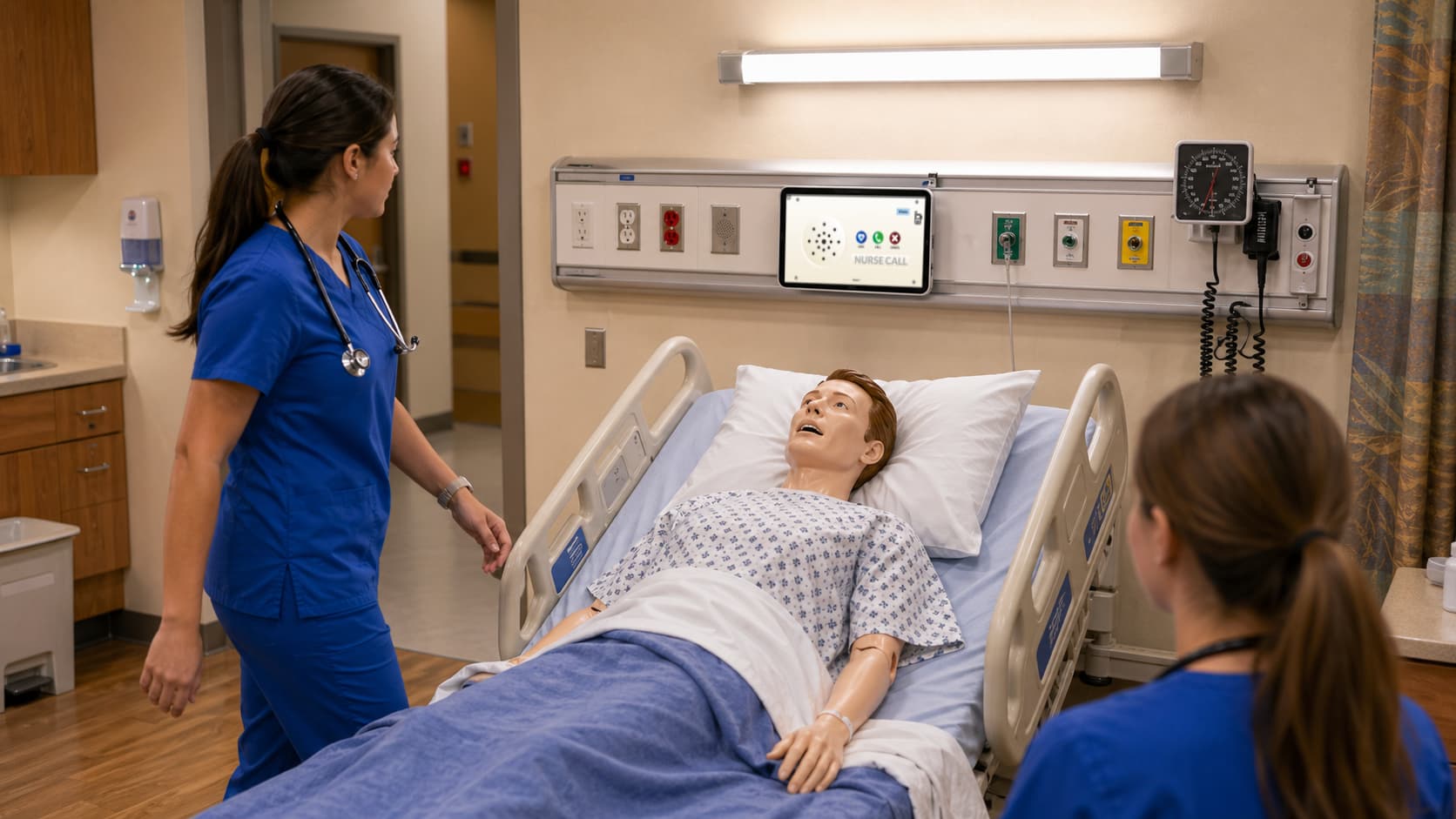
A mounted tablet puts the nurse call bell where students expect to find it.
The bedside tablet sits on the headwall beside the patient, in the same place a hospital call bell would live. Its Call, Code, and Cancel controls give every request a specific starting point instead of asking faculty to announce an alert to the room.
Each call stays tied to the patient assigned to that bed. Students respond through the bedside interface, while the instructor receives a time-stamped record of what happened for debrief. Because the bell is tablet-based, the lab can reposition it whenever beds or rooms move.
The newest piece
So what was still missing?
The hallway.
Bedside and station were covered. The corridor light was the one piece of the real workflow that still had no tablet-based equivalent, so students inside a room could respond and students walking the floor could not.
That is what we built SimVS Door Alarm to close, and it is the newest addition to the system.
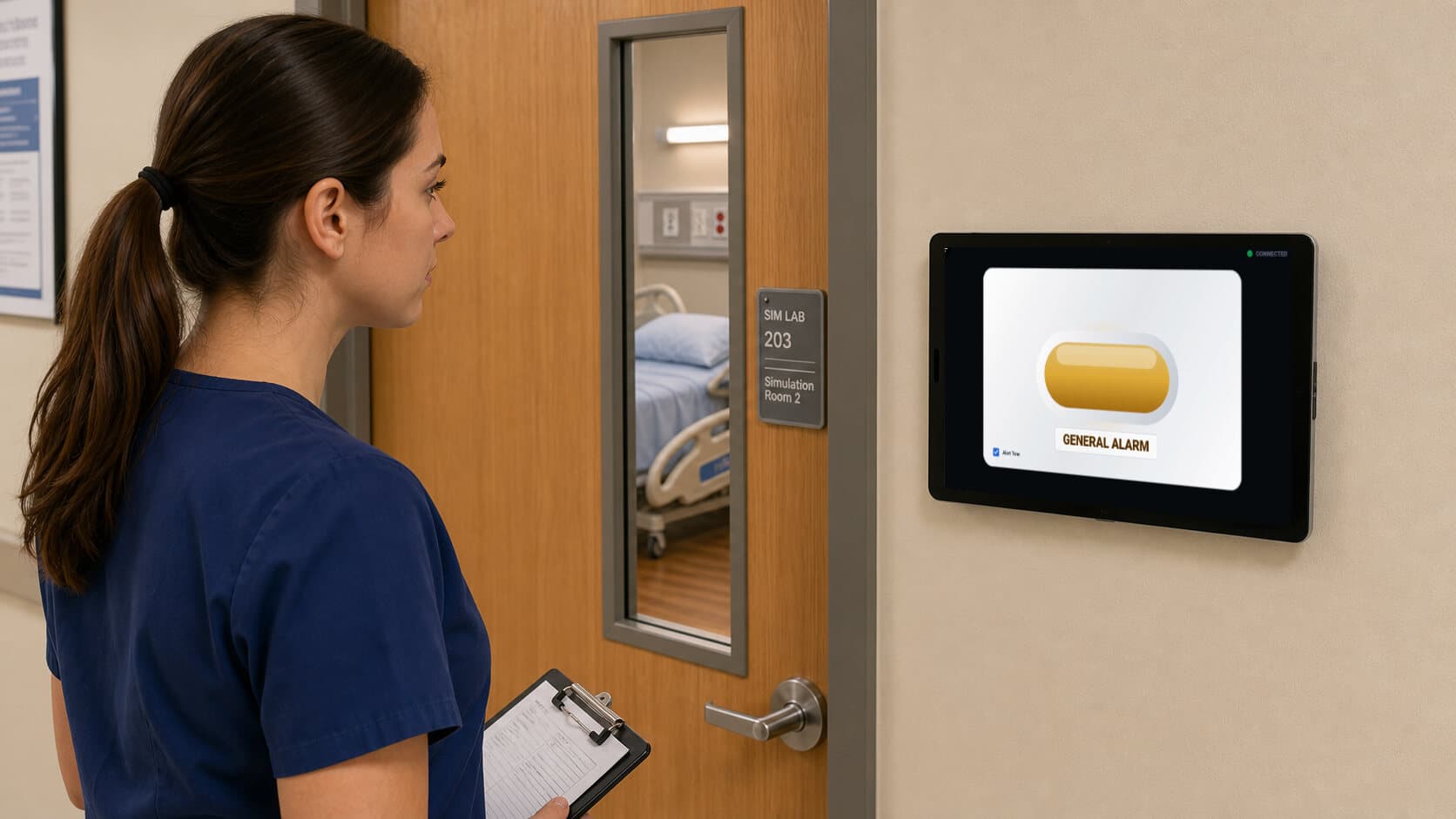
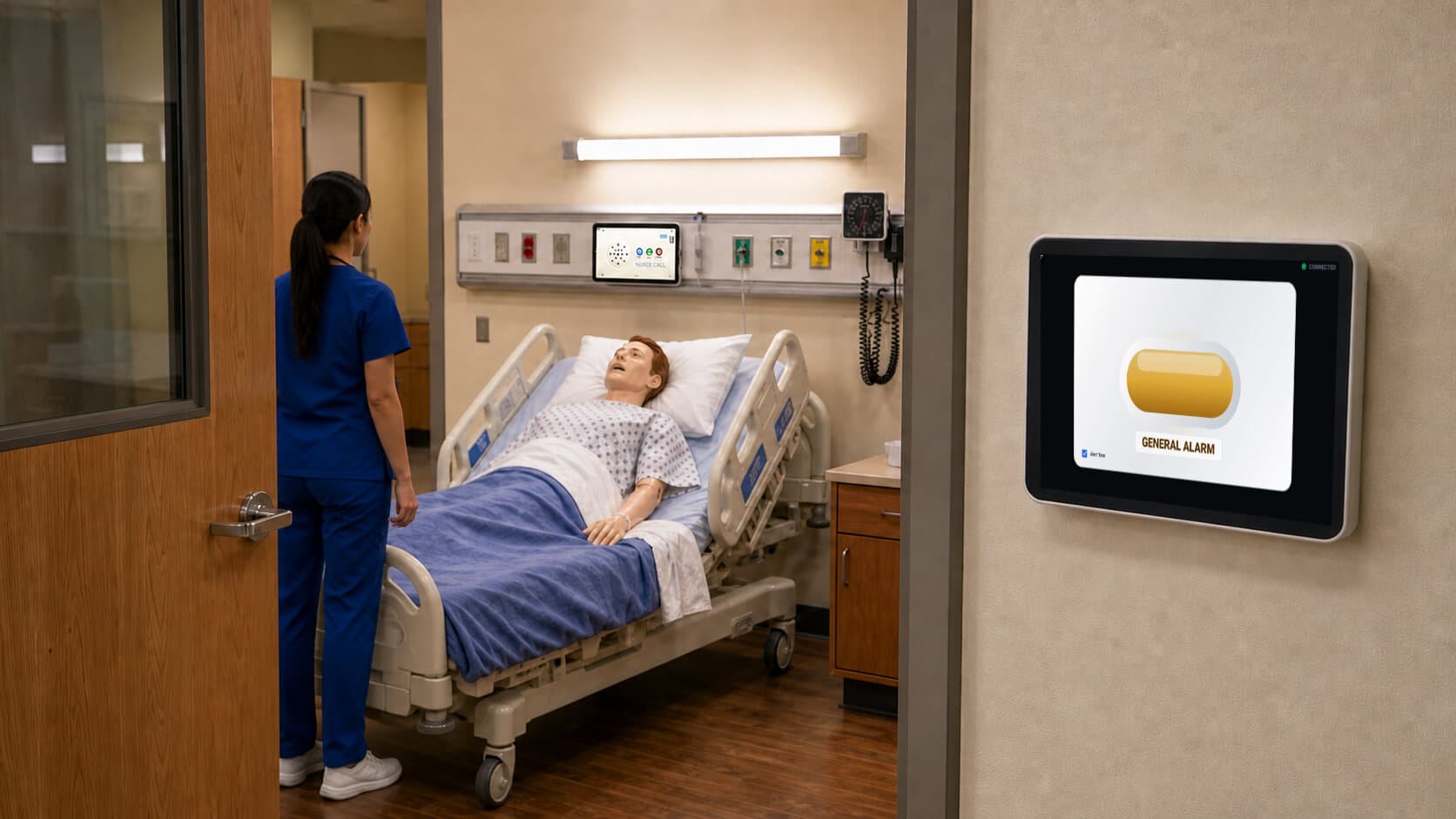
Mount a tablet on the wall outside a room, select Door Alarm as the monitor type, and it behaves like the corridor light on a real unit. Amber for a General Alarm, red for a Code Blue. It follows the room when you have rooms configured in the instructor's Room Manager, and follows the patient when you do not.
As far as we can tell, it is the first corridor door alarm in nursing simulation that runs as software rather than as a fixture. Every other version of this we found is real hospital hardware, wired into a building.
At the station
The whole floor stays visible
Nurse Station gives students one place to see every active patient and call.
The central Overview organizes active patients by room and shows their vital signs, device connection, and any call that needs a response. When a bedside call appears, the station can accept or decline it while the hallway display directs the student moving toward the room.
That shared view is what turns a collection of simulation rooms into a working unit. A student in the charge role can watch the floor, compare competing needs, and coordinate the response instead of waiting for the instructor to narrate what is happening in each room.
Explore Nurse Station Series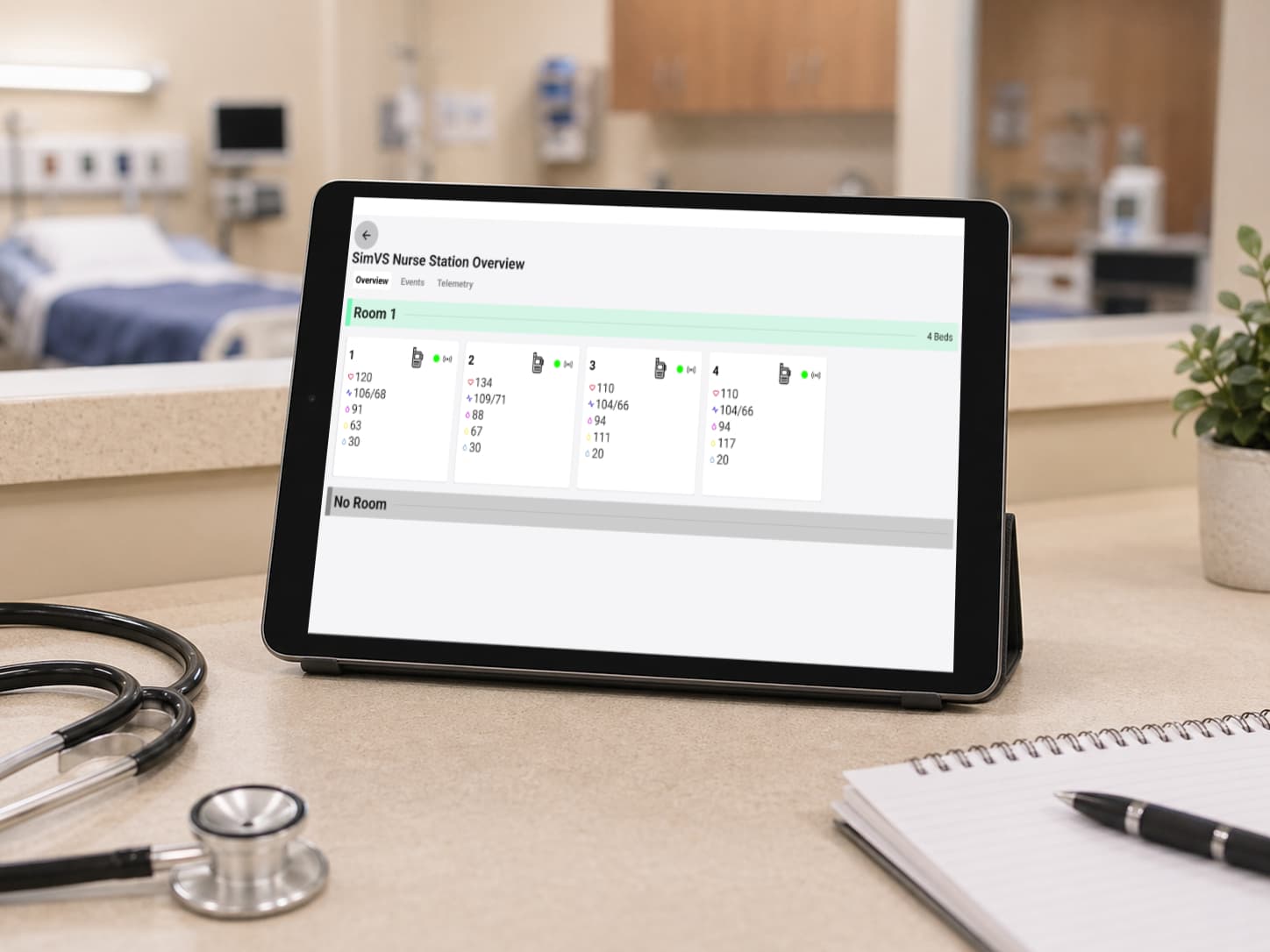
The teaching payoff
What that gives you
The full loop, on hardware you can move.
A patient calls from the bed. The hallway lights outside that room. The station sees it, and so does the instructor. A student anywhere on the floor can look up, read the corridor, and decide where to go.
That last part is what changes the teaching. In a multi-patient scenario, choosing which room to walk into is the skill. When students can only respond to the room they are standing in, four patients running at once is really four single-patient sims running at once.
Faculty stop narrating alerts and go back to observing. Doors stay closed. Students triage from the hallway, which is what they will do on a real floor.
Getting started
What does it take to add?
A license and a tablet per room you want covered.
We supply the tablet and wall mount, or you can use tablets you already own, the same as everywhere else in the SimVS line.
If you already run SimVS Nurse Call or SimVS Nurse Station, Door Alarm is available in your current build. There is nothing to install in the building and nothing to coordinate with facilities.
Bedside. Hallway. Station.
The communication workflow of a real unit, without a construction budget.
Start with Nurse Call at the bedside. Add hallway Door Alarms, a central Nurse Station, or both as your rooms and scenarios grow. You choose the level of fidelity without committing your lab to a construction project.
Request a personalized demo to see how the pieces fit together. If you already know how many rooms you are covering, we will quote the configuration.