Compare · Many Interfaces vs. One Device
Many Device Interfaces vs. One Fixed Device
Why train students across the pumps, defibrillators, and monitors they'll meet, on a platform that serves many programs, rather than a single fixed device.
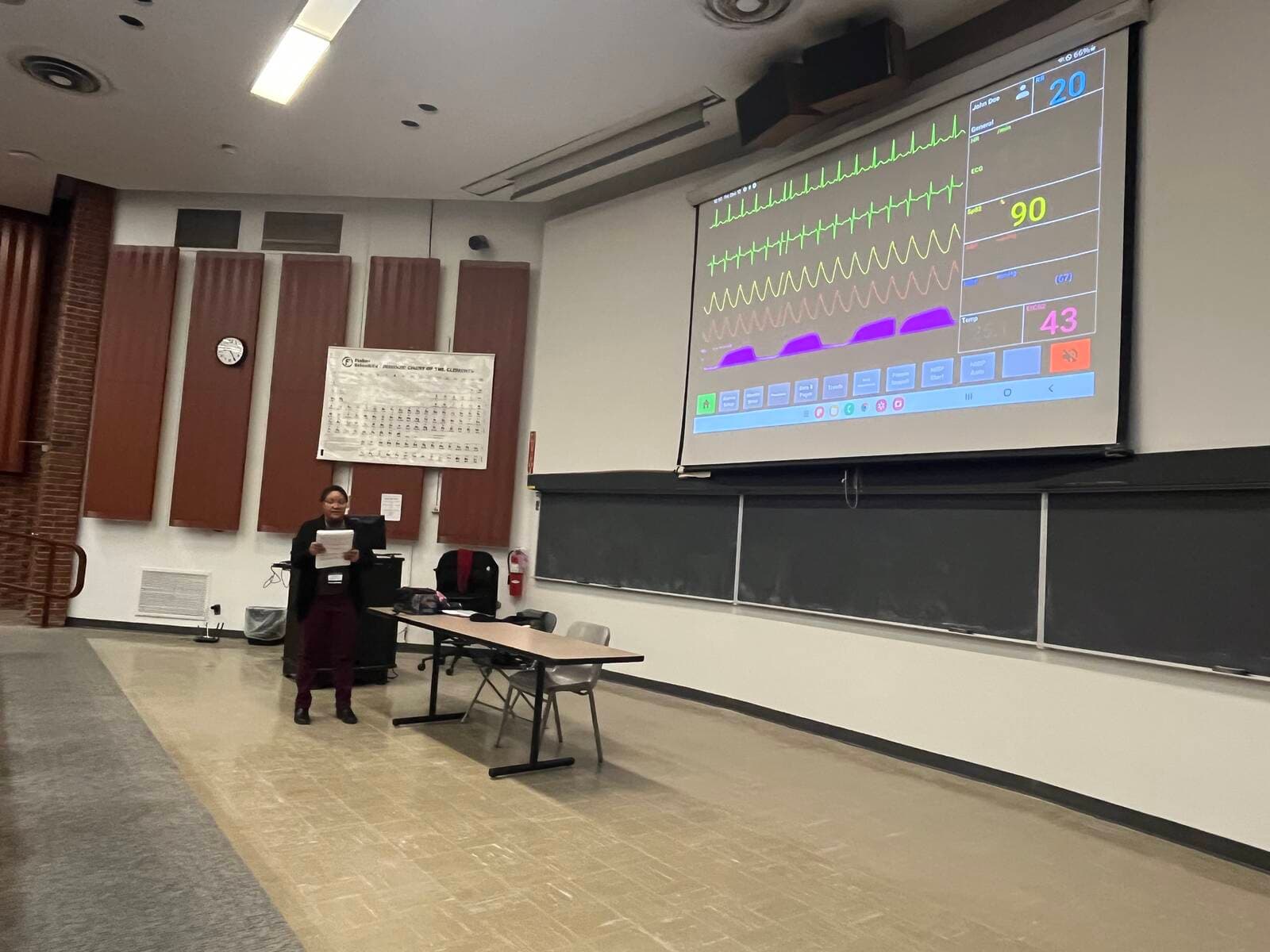
Nursing students training across multiple device interfaces on a SimVS tablet.
Students don't graduate into a building that runs the exact equipment your lab owns. They float between units and facilities, each with a different infusion pump, a different defibrillator, a different monitor. The skill that transfers isn't "I can run this one pump." It's "I can pick up an unfamiliar device, find what I need, and use it safely." That skill only develops with exposure to variety.
A single device builds familiarity with one machine; SimVS builds the transferable skill of operating any device, familiar or not, and equips one lab to teach more than one program.
- Choose SimVS
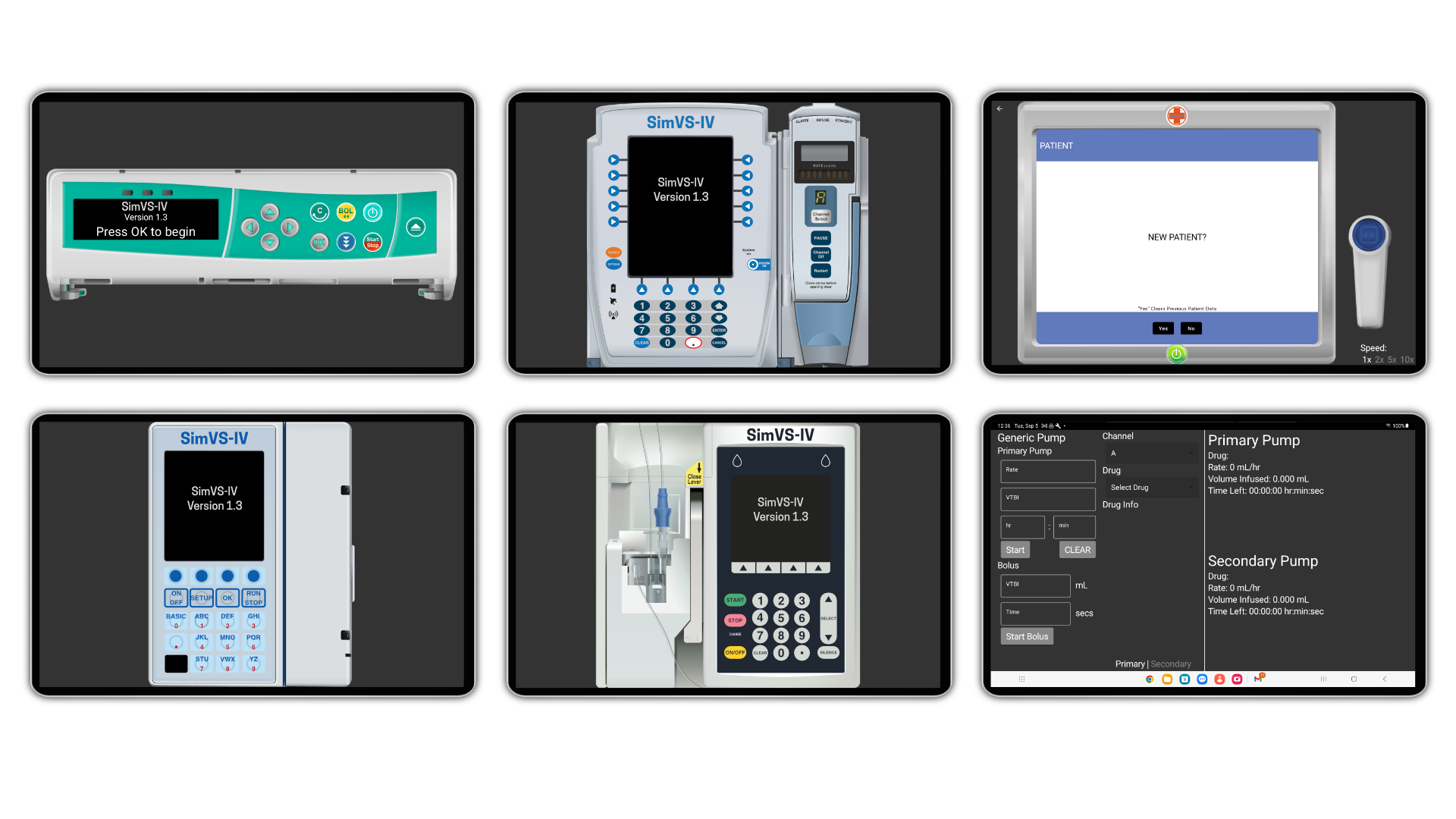
- to give students reps across many real-world device interfaces on one tablet: six IV pump interfaces, two defibrillators (the LP-15 and the X-Series), and a large library of patient monitors, plus ventilator and fetal monitor interfaces. One platform, reconfigured per course, can serve several programs in the same lab.
- Choose a single fixed device
- the one pump, monitor, or defibrillator your lab owns teaches that one device well, but leaves the transfer step (adapting to everything else) for the first day on the job.
At a glance
| SimVS | A single fixed device | |
|---|---|---|
| IV infusion pumps | 6 interfaces: Alaris, Baxter, Infusomat, Plum, PCA, generic | One pump model |
| Defibrillators | 2 interfaces (LP-15 and X-Series), plus an AED mode | One defibrillator |
| Patient monitors | Large library of monitor types (hospital + EMS), 200+ waveforms | One monitor |
| Ventilator / fetal monitor | Realistic interface for each | Usually separate purchases |
| Programs one lab can serve | Nursing, EMS/paramedic, respiratory, OB, allied health | Typically one |
| Real-world readiness | Students rep across the brands they'll meet | Trained on one; relearn on the job |
| Runs on | iPad, Android, Windows, Mac, Chromebook | Device-specific hardware |
| Cost to add variety | One platform, no per-device hardware | Buy each device separately |
Why device variety is important
A nurse who has only ever programmed one infusion pump has learned that pump, not infusion pumps. The moment the device in front of them is a different brand, with a different screen and a different button sequence, they are improvising on a live patient. Device unfamiliarity is a recognized contributor to use errors, documented for infusion pumps in AHRQ's Making Healthcare Safer III review, which is exactly why students need exposure to a range of equipment before graduation.
Training across multiple interfaces builds something more durable than rote familiarity: the habit of approaching any unfamiliar device methodically, finding the order, the rate, the alarms, and the safety checks. That is the skill that actually transfers to the floor. This tracks with a long-studied principle in motor learning called contextual interference: a 2024 meta-analysis found that practicing several variations of a task, rather than one, improves retention of learning.
The skill that transfers isn't "I can run this one pump." It's "I can pick up an unfamiliar device, find what I need, and use it safely."
One lab, many programs
Because SimVS covers the full range of clinical devices rather than a single machine, one lab can serve programs that would otherwise each need their own equipment:
- Pre-licensure nursing. Hospital monitors, IV pumps, and the full bedside workflow.
- Paramedic and EMS. The EMS monitor library and prehospital defibrillators (LP-15 and X-Series).
- Respiratory therapy. The ventilator interface.
- Obstetric nursing. The fetal monitor.
- Allied health and critical care. The shared monitor, defibrillator, and pump interfaces.
Instead of buying a separate device set for each program, a department equips one SimVS lab and reconfigures it per course. And because it runs on iPad, Android, Windows, Mac, and Chromebook, the same scenarios move between the classroom, the sim lab, and students' own devices at home.
What SimVS replicates
- IV pumps. Six interfaces on one tablet: Alaris, Baxter, Infusomat, Plum, a PCA pump, and a generic pump.
- Defibrillators. Two interfaces, the LP-15 and the X-Series, plus an AED mode (per the SimVS EMS Series).
- Patient monitors. A large library of monitor types spanning hospital and EMS, with 200+ waveforms; several devices also run in more than one mode.
- Ventilator and fetal monitor. A realistic interface for each, so scenarios can span the whole clinical environment.
- Any tablet you own. SimVS runs on iPad, Android, Windows, Mac, and Chromebook, so you add this variety without buying per-device hardware.
Where one device is enough
A matching device still has its place, and it's worth being clear about where:
- Mastery of one clinical partner's equipment. If your sole objective is fluency with the exact machine a single clinical partner uses, one matching device covers it.
- Pure psychomotor familiarity. A tablet replica reproduces a device's screen, controls, and logic, but not the full physical feel of the real hardware, like loading a cassette or the tactile buttons. For hands-on familiarity with one specific machine, the physical device has an edge.
SimVS layers on, it doesn't replace
SimVS replicates a device's screen, controls, and behavior so students learn to operate it; it layers onto the manikins and task trainers you already own rather than replacing hands-on hardware. Keep a real device or two for exact-model feel, and add SimVS for breadth across everything else.
Frequently asked
Why is training on multiple device interfaces important?
Which SimVS devices offer multiple interfaces?
Can one SimVS lab really serve different programs?
Does a tablet replace the physical feel of the real device?
What does it run on?
Does SimVS support paramedic or EMS training?
Can students practice on SimVS outside the lab?
Get students fluent on every device they'll meet, across every program your lab teaches
One SimVS platform, reconfigured per course, runs on the tablets and laptops your programs already have.
References
- SimVS Summer 2026 Catalog (six SimVS-IV pump interfaces incl. PCA; large patient-monitor library with 200+ waveforms; ventilator and fetal monitor interfaces; runs on iPad, Android, Windows, Mac, and Chromebook). simvs.com
- SimVS EMS Series (LP-15 and X-Series defibrillator interfaces; hospital and telemetry monitor types). simvs.com/products/ems-series
- Agency for Healthcare Research and Quality (AHRQ). Making Healthcare Safer III: Infusion Pumps, 2020 (inadequate training and unfamiliarity with equipment contribute to infusion pump use errors).
- High contextual interference improves retention in motor learning: a systematic review and meta-analysis. Scientific Reports, 2024 (practicing multiple task variants improves retention of motor learning).