
Sigma Pump Interface
Step-by-step guide to operating the Sigma dual-channel pump simulator in SimVS-IV.
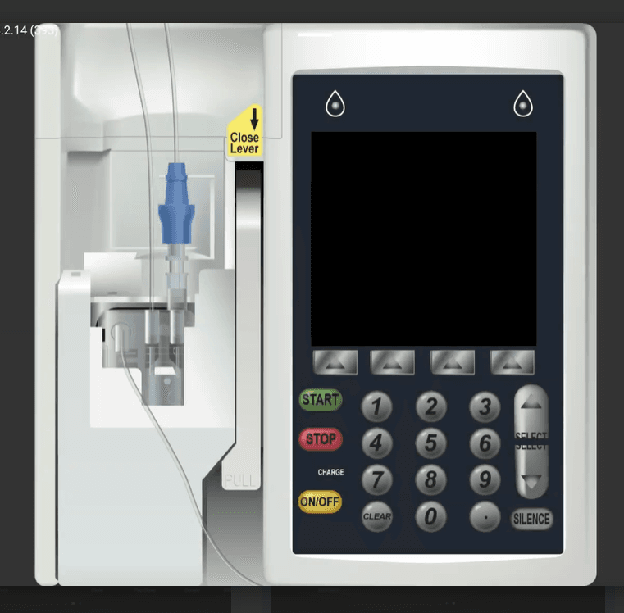
The Sigma simulator replicates a dual-channel infusion pump with independent A and B channels. It features a physical pump body with IV tubing on the left side and a digital display with START, STOP, ON/OFF, and numeric keypad controls on the right.
Instructor and Simulation Technician Deep Dive
For a complete instructor-and-learner walkthrough, including drug-library setup, on-the-fly simulation, primary and secondary infusions, pump errors, safety checklists, bolus programming, action logs, and device assignment, watch the deep dive below.
Before You Begin
Familiarize yourself with the Generic Pump Operations before using specific pump interfaces.
Pump Overview
The Sigma pump has a distinctive two-panel design:
- Left panel — physical pump mechanism with IV tubing and close lever
- Right panel — digital display with dual-channel status and controls
Understanding the Dual-Channel Display
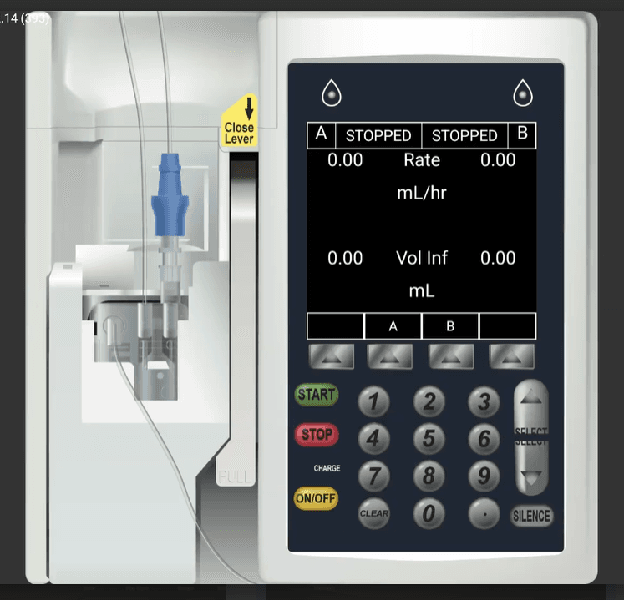
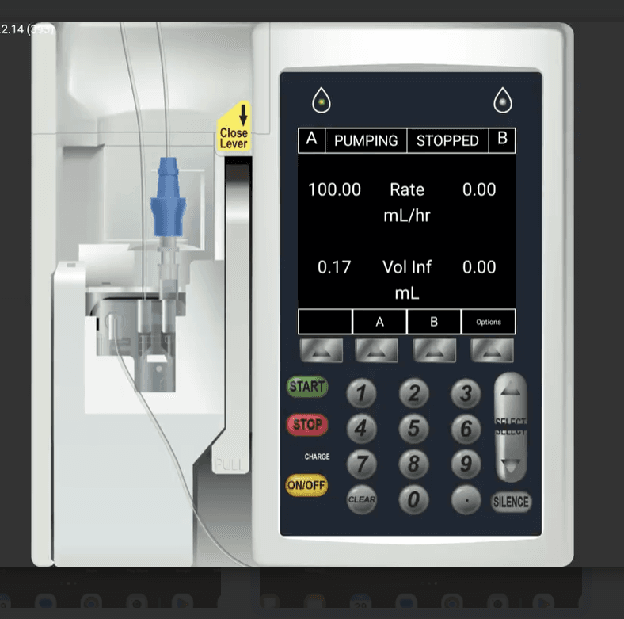
The Sigma's main screen shows both channels simultaneously:
- Channel A (left) and Channel B (right) with independent status
- Rate in mL/hr for each channel
- Vol Inf (Volume Infused) in mL for each channel
- Soft buttons for channel selection (A, B) and options
Channel Navigation
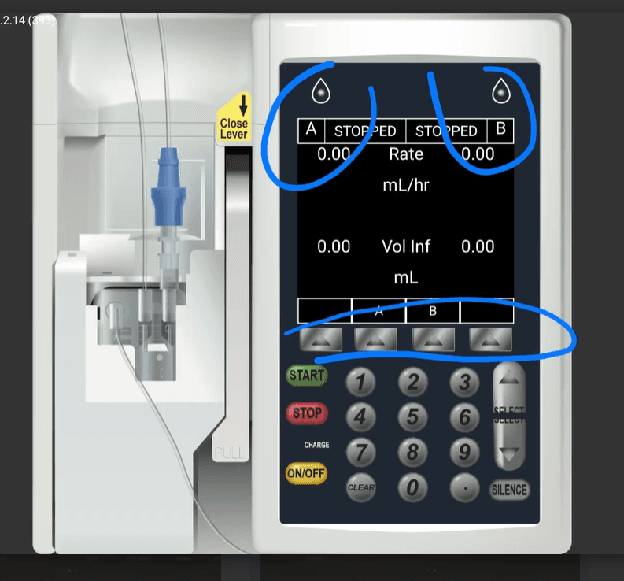
Use the drop indicators at the top and the soft buttons (A, B) at the bottom to switch between channels. The blue circles in the annotated view below highlight the key navigation elements.
Programming Channel A
Select Channel A
Press the A soft button or select Channel A from the display to enter programming mode.
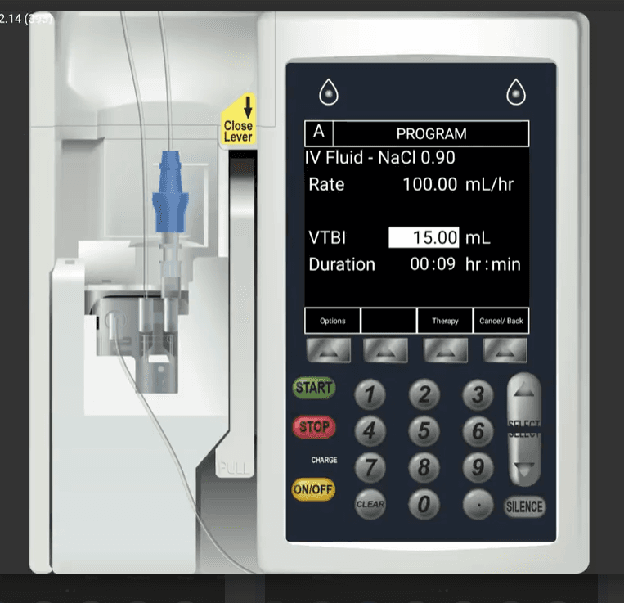
Enter Rate, VTBI, and Duration
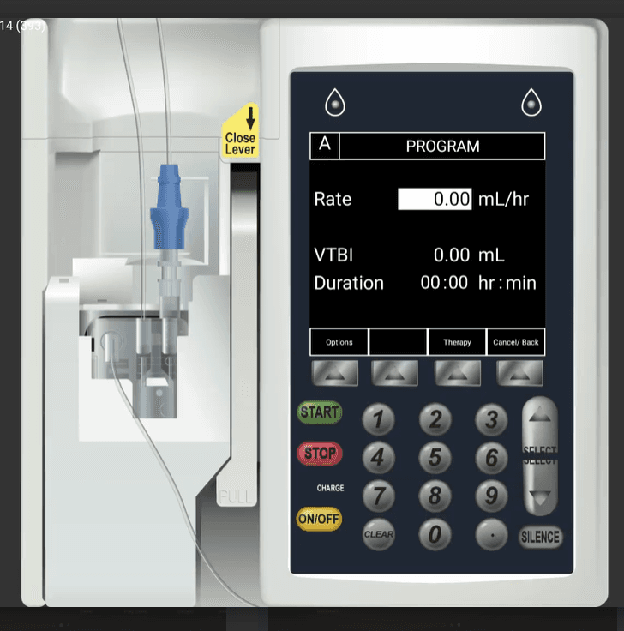
The PROGRAM screen shows:
- Rate — in mL/hr
- VTBI — in mL
- Duration — in hr:min
Use the number keypad to enter values. Soft buttons provide Options, Therapy, and Cancel/Back functions.
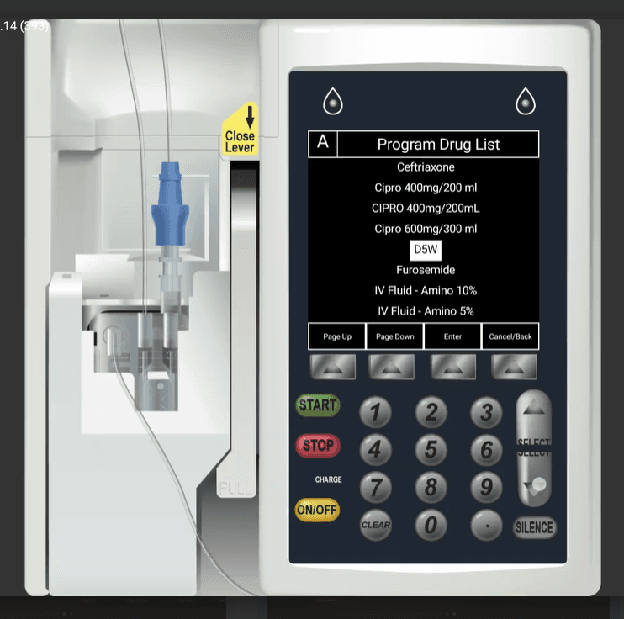
Select a Drug
The Program Drug List displays available medications. Use Page Up and Page Down to browse, then press Enter to select.
Confirm and Start
After entering all parameters (e.g., IV Fluid - NaCl 0.90 at 100 mL/hr, VTBI 15 mL), press START to begin the infusion.
Running State
When Channel A is pumping, the display shows:
- A: PUMPING with the active rate (e.g., 100.00 mL/hr)
- B: STOPPED — the other channel remains independent
- Volume Infused updates in real time
Programming Channel B
Channel B is programmed independently using the same process. Select the B soft button to enter its PROGRAM screen.
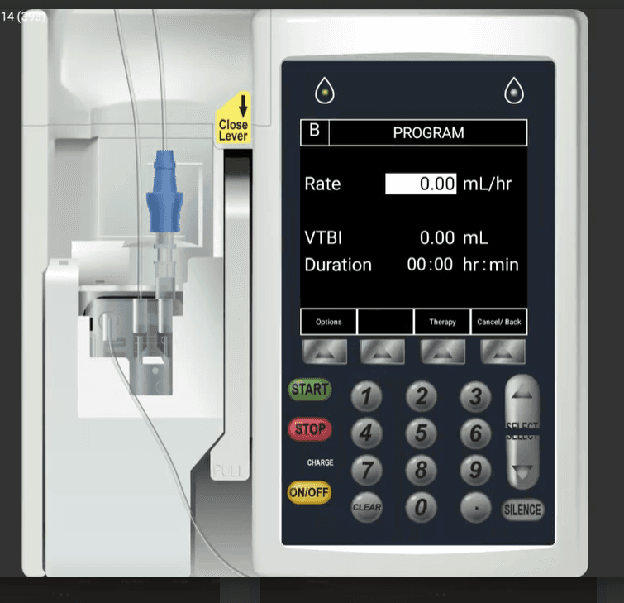
Both channels can run simultaneously with different drugs and rates.