
Drug Library
Manage the SimVS-IV drug library, configure guardrails, add custom drugs, and share libraries between devices.
The SimVS-IV drug library contains all medications available in the pump simulators. Instructors can view, add, edit, and delete drugs, configure safety guardrails, and share the library with connected student tablets.
This page covers the drug library on the instructor tablet. To prepare medications from a web browser, use the Portal Drugs guide.
Accessing the Drug Library
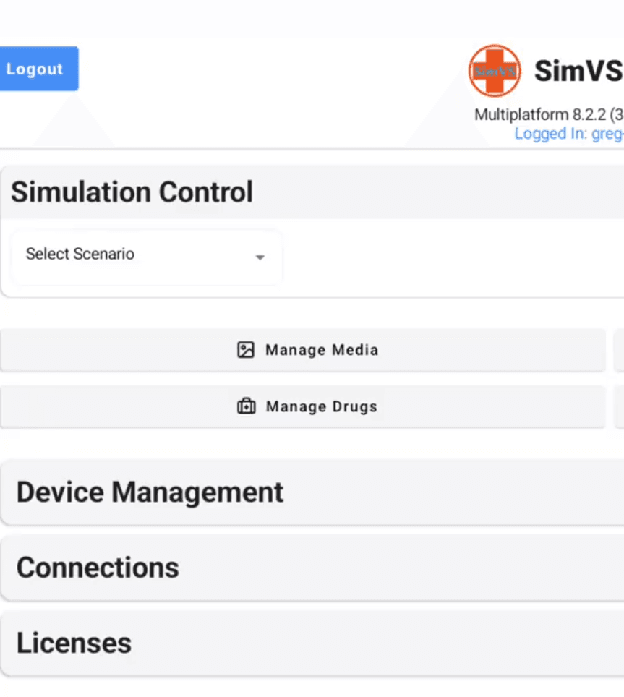
From the Simulation Control main screen, tap Manage Drugs to open the drug library.
Viewing the Drug Library
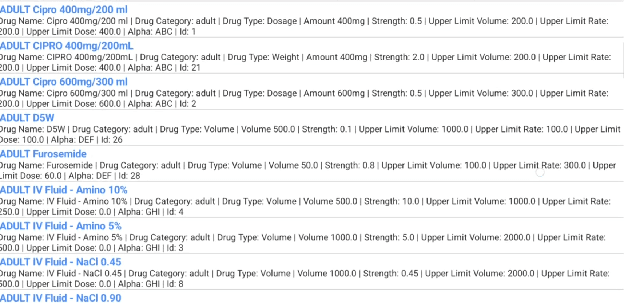
The library displays all configured drugs with detailed information for each entry:
- Drug Name — medication name
- Drug Category — Adult, Pediatric, PCA, or custom categories
- Drug Type — Volume, Dosage, or Weight
- Amount and Strength — concentration information
- Upper Limit Dose — maximum safe dose
- Upper Limit Rate — maximum infusion rate
- Upper Limit Volume — maximum volume
Adding and Editing Drugs
Open the Edit Drug Screen
To add a new drug, select Add Drug from the library screen. To edit an existing drug, tap on the drug entry.
Configure Drug Properties
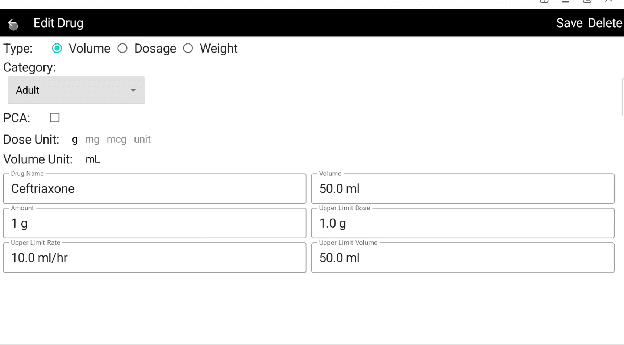
The Edit Drug screen provides the following fields:
| Field | Description |
|---|---|
| Type | Volume, Dosage, or Weight — determines how the pump calculates delivery |
| Category | Adult, Pediatric, PCA, or custom categories |
| PCA | Check if this drug should be available in PCA mode |
| Dose Unit | g, mg, mcg, or unit |
| Volume Unit | mL |
| Drug Name | The medication name displayed in the pump |
| Volume | Total volume (e.g., 50.0 ml) |
| Amount | Drug amount per volume (e.g., 1 g) |
| Upper Limit Dose | Maximum safe dose guardrail |
| Upper Limit Rate | Maximum infusion rate guardrail |
| Upper Limit Volume | Maximum volume guardrail |
Save or Delete
Press Save to save changes or Delete to remove the drug from the library. Press the back arrow to cancel without saving.
Drug Types
SimVS-IV supports three drug types that determine how the pump calculates the infusion:
| Type | Description | Example |
|---|---|---|
| Volume | Basic volume-based infusion. Rate is entered directly in mL/hr. | IV Fluid - NaCl 0.90 |
| Dosage | Dose-based calculation. The pump converts a prescribed dose to a rate based on concentration. | Cipro 400mg/200 ml |
| Weight | Weight-based calculation. The pump factors patient weight into the rate calculation. | CIPRO 400mg/200mL (weight type) |
Guardrails
Guardrails are safety limits configured for each drug. When a programmed value exceeds a guardrail limit, the pump alerts the user. Guardrail fields include:
- Upper Limit Dose — maximum dose that can be programmed
- Upper Limit Rate — maximum rate in mL/hr
- Upper Limit Volume — maximum volume in mL
These limits help prevent programming errors and reinforce safe medication practices during training.
Managing Categories
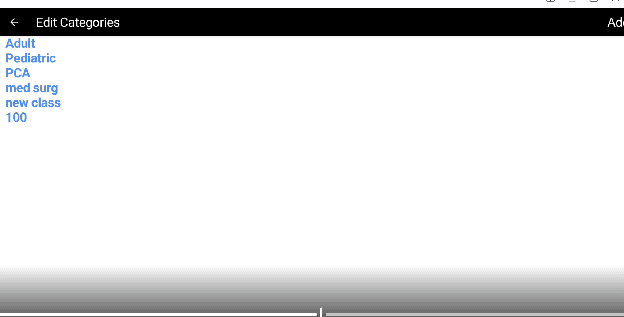
Categories organize drugs by patient type or clinical area. The default categories are Adult, Pediatric, and PCA. Instructors can add custom categories for specific training scenarios.
Sharing the Library
When an instructor tablet is connected to student tablets, the instructor's drug library can be shared with all connected students. This ensures every device in the simulation uses the same drug set, maintaining consistency during training exercises.