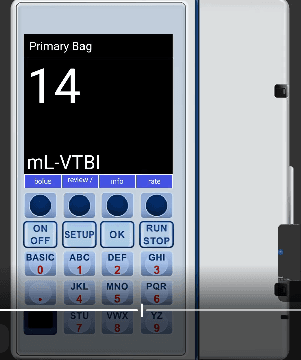
Plum Pump Interface
Step-by-step guide to operating the ICU Medical Plum pump simulator in SimVS-IV.
The Plum simulator replicates the ICU Medical Plum infusion system. It features a vertical form factor with a large touchscreen display, physical button controls (ON/OFF, SETUP, OK, RUN/STOP), and a numeric keypad.
Before You Begin
Familiarize yourself with the Generic Pump Operations before using specific pump interfaces.
Starting the Plum Pump
Power On
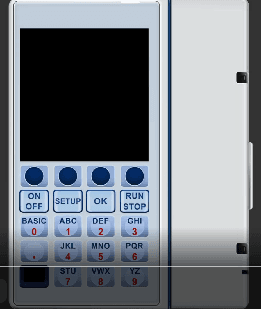
Press the ON/OFF button to power on the pump. The screen will initialize.
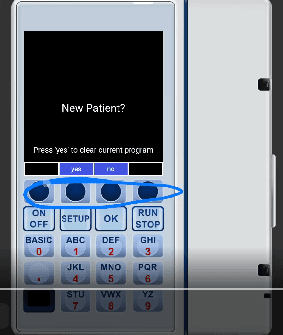
New Patient Prompt
The pump displays "New Patient?" with the message "Press 'yes' to clear current program." Select yes to start fresh or no to continue.
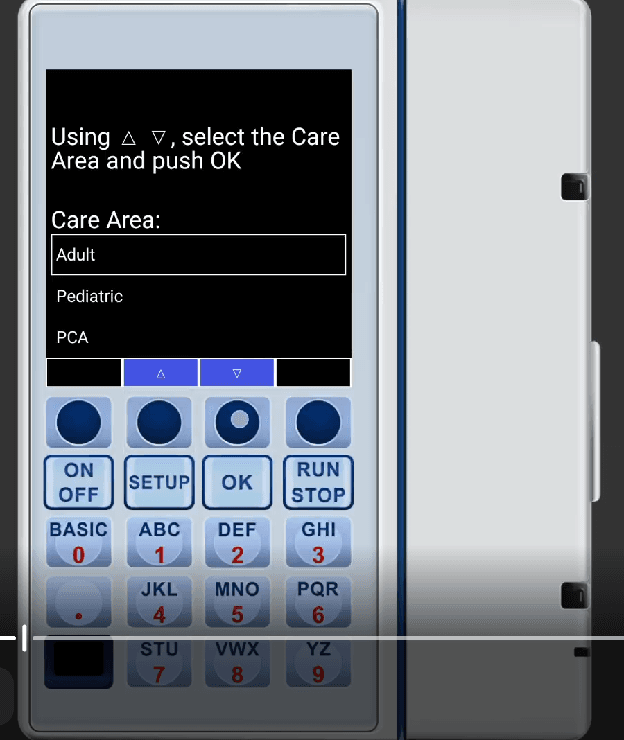
Select Care Area
Choose the Care Area using the up/down arrows: Adult, Pediatric, or PCA. Press OK to confirm.
Selecting a Drug
Enter Drug Name
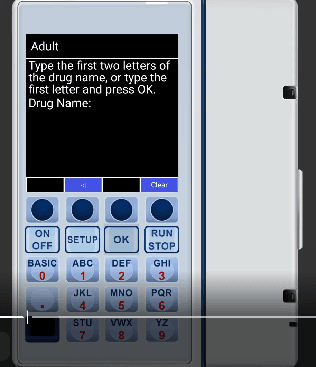
The pump prompts you to type the first two letters of the drug name, or type the first letter and press OK. Use the alphanumeric keypad to enter letters.
Select from Drug List
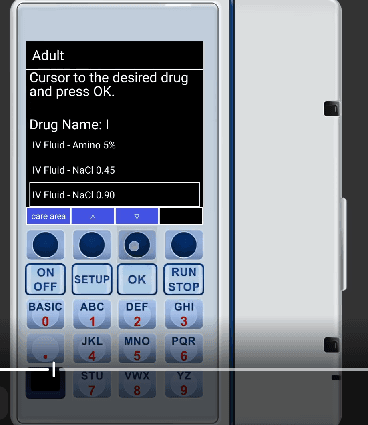
After entering letters, the pump displays matching drugs. Use the up/down arrows to navigate to the desired drug and press OK to select.
Programming the Infusion
Enter Rate and VTBI
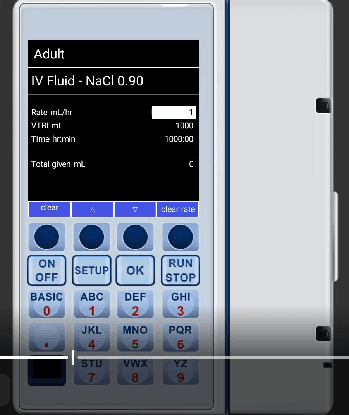
The programming screen shows:
- Rate mL/hr — enter the infusion rate
- VTBI mL — enter the volume to be infused
- Time hr:min — automatically calculated
Use the number keypad to enter values. Navigate between fields using the up/down arrows.
Press RUN/STOP
Once parameters are set, press RUN/STOP to begin the infusion.
Running State
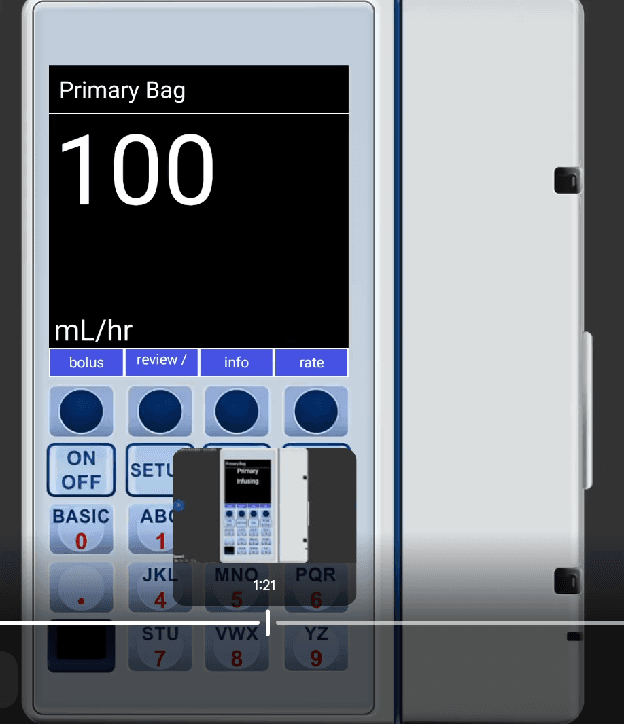
The Plum displays the running infusion with a large rate readout:
- Primary Bag label at the top
- Large rate display (e.g., 100 mL/hr)
- Soft buttons for bolus, review, info, and rate
- A small pump icon showing "Primary Infusing" status
The VTBI display shows the remaining volume during infusion: