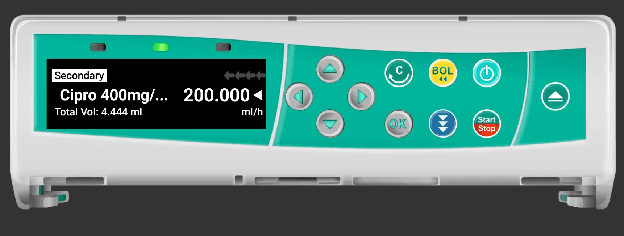
Infusomat Pump Interface
Step-by-step guide to operating the B. Braun Infusomat pump simulator in SimVS-IV.
The Infusomat simulator replicates the B. Braun Infusomat infusion pump. It has a distinctive horizontal form factor with a wide display, teal-colored control panel, and circular navigation buttons.
Before You Begin
Familiarize yourself with the Generic Pump Operations before using specific pump interfaces.
Pump Overview
The Infusomat has a wide horizontal layout:
- Display — wide text display on the left
- Navigation — arrow buttons (up, down, left, right) for menu navigation
- Controls — OK, BOL (bolus), Power, Start/Stop buttons
- Number entry — digits are entered field-by-field using up/down arrows
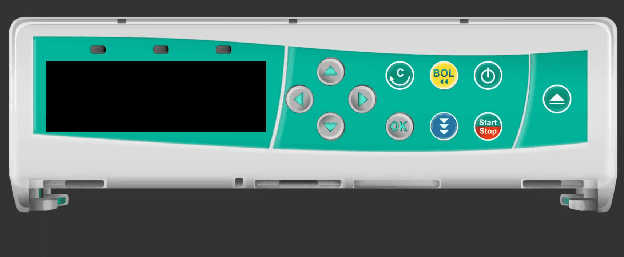
Starting the Infusomat
Power On and New Patient
After powering on, the pump displays a "New Patient" prompt with Yes and No options. Use the arrow buttons to select.
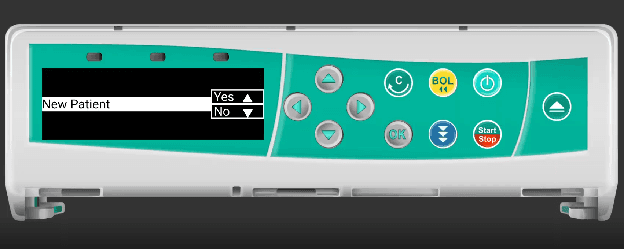
Navigation Tip
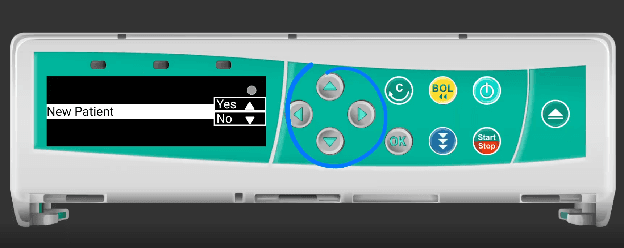
Use the directional arrow buttons to navigate menus. The OK button confirms your selection. The blue circle below highlights the navigation controls.
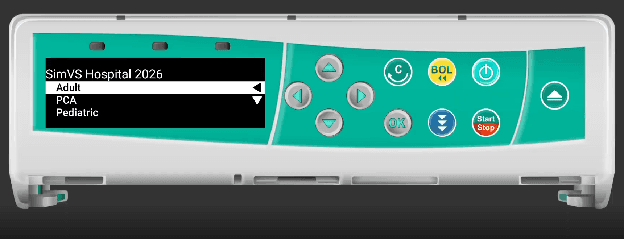
Select Care Area
Choose from the available care areas: Adult, PCA, or Pediatric. The display shows "SimVS Hospital 2026" with the care area options.
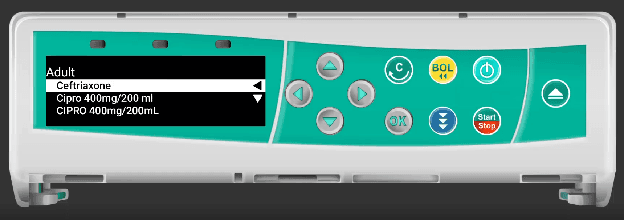
Select Drug
The drug list appears showing available medications for the selected care area. Navigate with arrows and confirm with OK.
Programming the Infusion
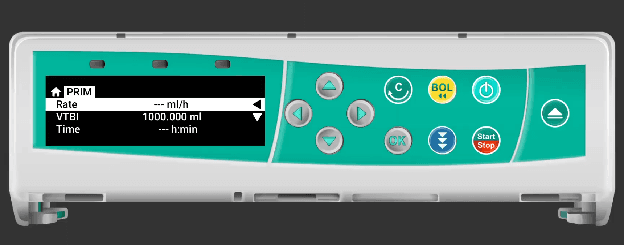
Enter Rate
The PRIM (Primary) screen shows Rate, VTBI, and Time fields. The rate entry uses field-based digit entry — digits are entered one position at a time using up and down arrows to increment/decrement each digit.
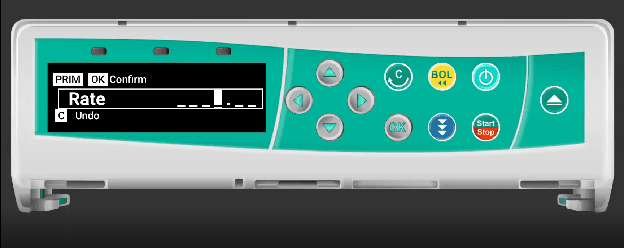
Digit Entry
Unlike other pumps that use a number keypad, the Infusomat enters digits by field position. Use the up/down arrows to increase or decrease each digit, and left/right arrows to move between digit positions.
Press Start/Stop
Once rate and VTBI are configured, press the Start/Stop button to begin the infusion.
Running State
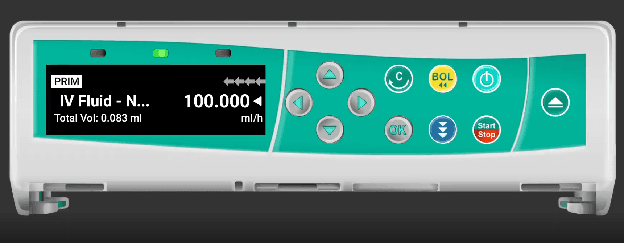
The running display shows the drug name, current rate, and total volume infused. The arrows indicate the infusion direction.
Bolus
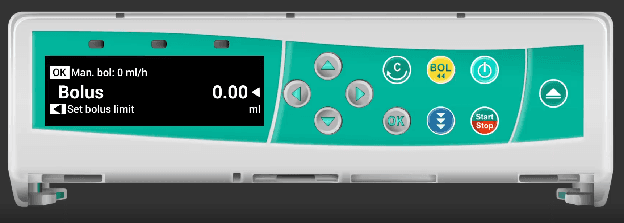
Access bolus mode by pressing the BOL button. The display shows the bolus volume and "Set bolus limit" option.
Secondary Infusion
The Infusomat supports secondary infusions. When a secondary is running, the display shows "Secondary" with the drug name and rate.