
License Setup
Check which SimVS-IV features your license includes and when it expires.
Your license controls which products and features the SimVS app unlocks. SimVS-IV features appear as IV Pumps in the license list.
View Your License
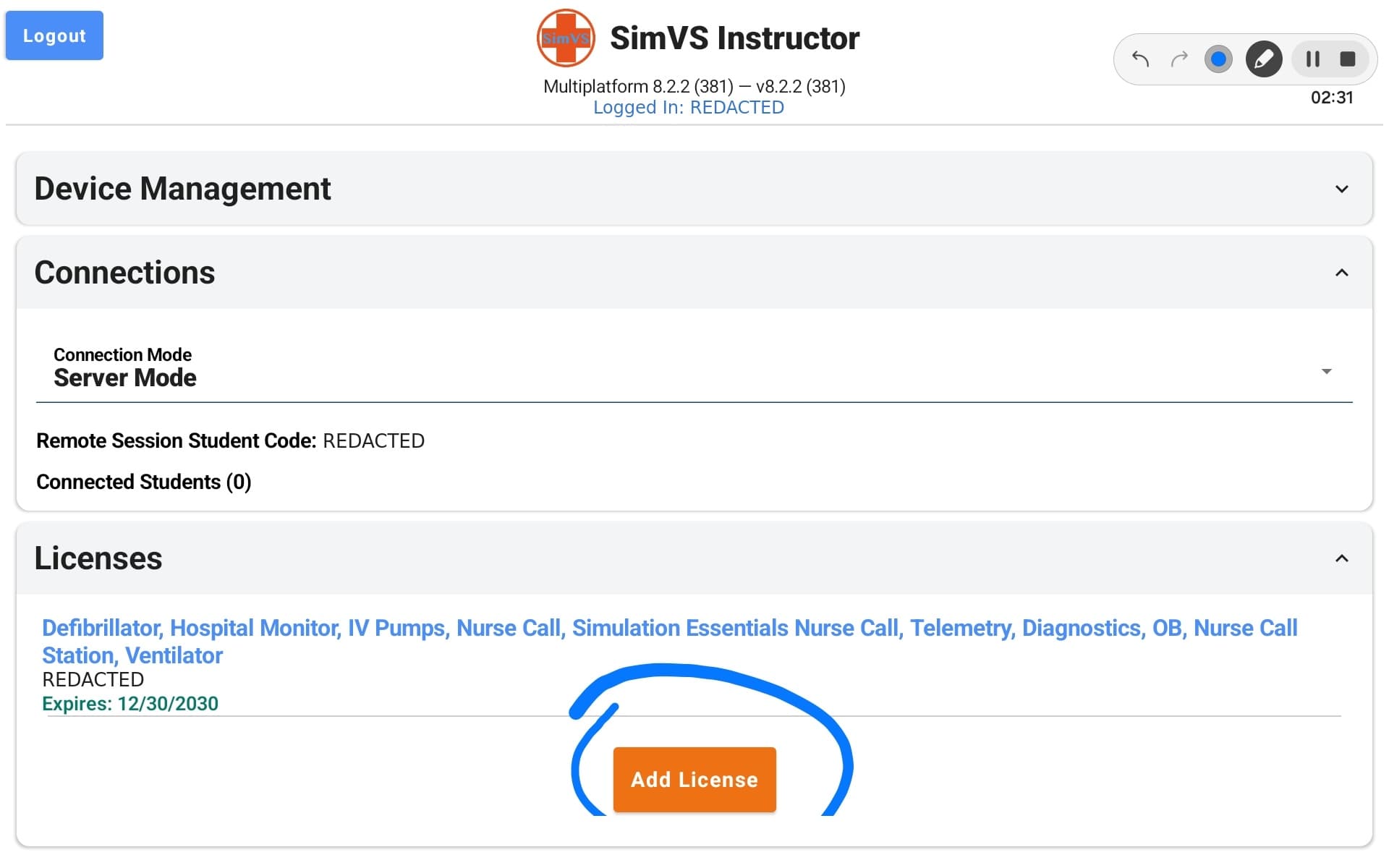
Both the instructor and student tablets have a Licenses section at the bottom of the main screen.
Open Licenses
On the main screen, tap Licenses to expand the section.
Check the License Details
Each license shows:
- Included features: the products and capabilities your license enables. Confirm that IV Pumps is listed.
- License code: your unique license identifier.
- Expiration date: when the license expires.
Keep your license code private
Don't include the license code in screenshots, shared documents, or chat messages.
If Something Is Missing
- IV Pumps is not listed: your license may not include SimVS-IV. Contact SimVS Support.
- The license has expired or expires soon: ask your organization's license owner to contact SimVS about renewal.
- You need to add a new license: contact SimVS Support and we'll walk you through it.
You can also review licenses in a browser from the SimVS Portal. See Profile.