
Drugs
Create and manage the medication inventory used by SimVS Portal cases and IV learning activities.
The Drugs workspace stores medications that can be selected when you build an IV case. Create the drug first, confirm its units and guardrails, and then continue to Cases.
Before You Begin
- Sign in to the Portal.
- Gather the medication name, concentration, units, volume, and instructional guardrails for the activity.
- Confirm all clinical values with your approved course materials. Portal entries support simulation and do not replace institutional medication policy.
Find a Drug
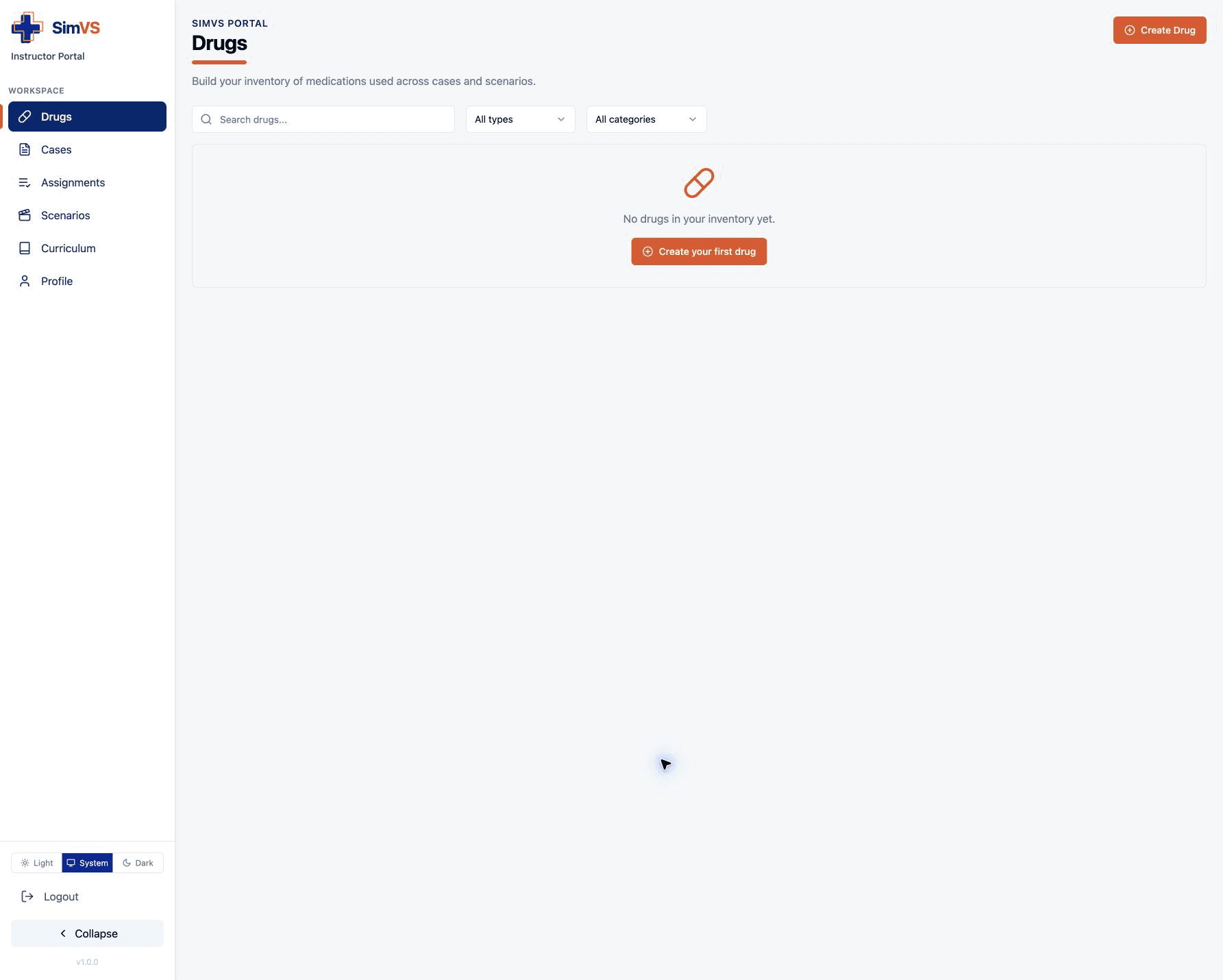
Open Drugs in the left sidebar. Use Search drugs... to search by name, or narrow the list with All types and All categories.
Create a Drug
Open the Form
Select Create Drug. If the inventory is empty, Create your first drug opens the same form.
Identify the Drug
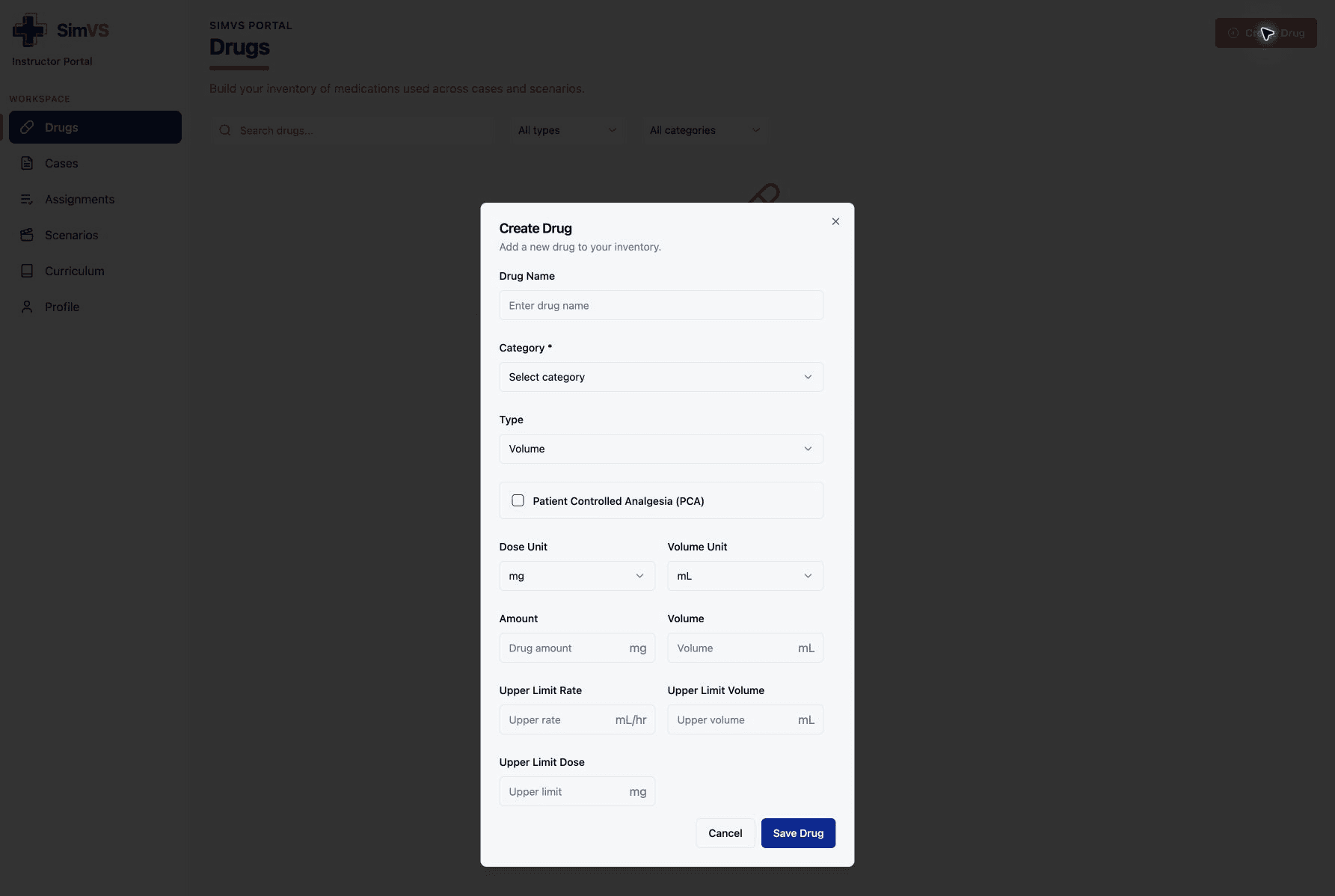
Enter the Drug Name and choose Adult, Pediatric, or PCA for Category. These are the categories currently offered by the Portal; custom tablet categories are not created from this form.
Choose Volume, Dosage, or Weight for Type:
| Type | Use |
|---|---|
| Volume | Program delivery directly by volume and rate. |
| Dosage | Base delivery on a prescribed dose and concentration. |
| Weight | Include patient weight in the dose calculation. |
Enable Patient Controlled Analgesia (PCA) only when the medication is intended for PCA practice.
Enter Units and Concentration
Choose the Dose Unit and Volume Unit, then enter the drug Amount and total Volume. The labels beside each field update to show the selected units.
Set Instructional Guardrails
Enter the Upper Limit Rate, Upper Limit Volume, and Upper Limit Dose used for the activity. Verify that the values and units match the intended pump workflow.
Save
Review every value, then select Save Drug. The medication should appear in the Drugs inventory and become available in the Case form.
Edit or Delete a Drug
Open an instructor-created drug from the inventory to review its details. If the Portal offers edit or delete controls, change only records your organization owns.
Before deleting a drug, confirm that it is not used by a case or active assignment. Deletion can break a downstream learning activity. When in doubt, keep the record and ask your organization’s SimVS administrator.
Troubleshooting
- A drug is missing from Cases: Confirm that Save Drug completed, then refresh the Cases page.
- The calculation looks wrong: Recheck the drug type, dose unit, volume unit, amount, and volume as a complete set.
- A category is missing: The Portal form currently provides Adult, Pediatric, and PCA. Manage a tablet-only custom category in the SimVS-IV app.
- You cannot change a record: It may be shared or managed content. Create a new instructor-owned drug instead of altering content you do not own.
Next Step
Use the saved medication to create a Case.