
Checklists & Debriefing
Use performance checklists for real-time assessment, scoring, and post-scenario debriefing.
Every scenario has its own custom checklist of required actions. Checklists are a powerful debriefing tool and serve as a permanent record of the clinical encounter.
Checklist Interface
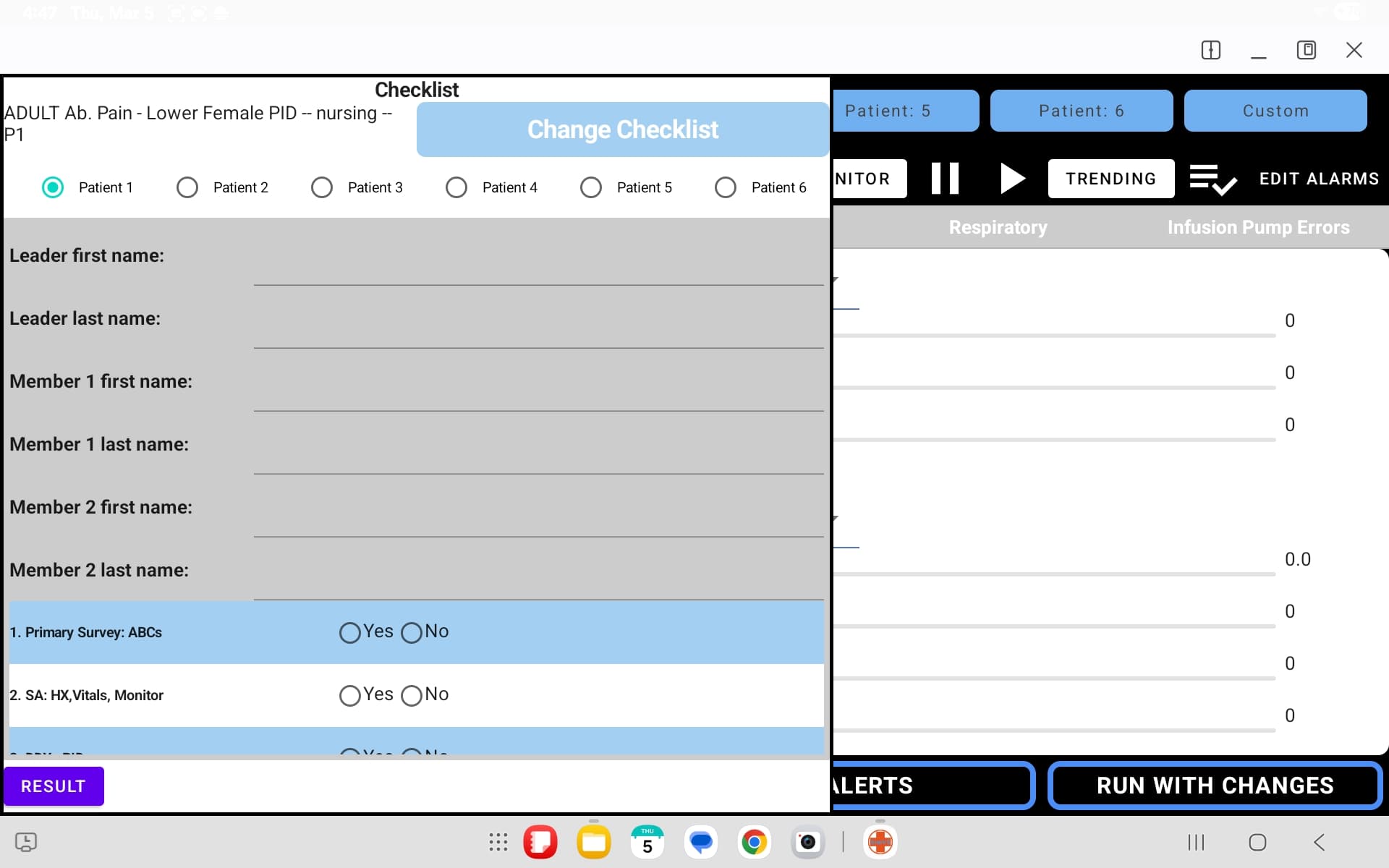
The checklist interface includes:
- Scenario and Part info — displays the current scenario name and active part
- Team information fields — Leader, Instructor, and Evaluator names
- Checklist items — scored on a scale (0, 1, 2, N/A) with time stamps
- RESULT button — generates a summary of the checklist scores
- CHANGE CHECKLIST — switch to a different checklist for the scenario
Using Checklists During a Scenario
Open the Checklist
Tap the checklist icon in the top-right area of the instructor display.
Enter Team Information
Fill in the Leader, Instructor, and Evaluator names for the session.
Score Actions in Real Time
As the scenario unfolds, tap to score each checklist item. Items are time-stamped when selected, creating an accurate record of when each action was performed.
Add Notes
Instructors can add freeform notes and indicate team composition for the session.
Record Pass/Fail
Mark the overall session as pass or fail based on performance criteria.
Printed Performance Checklists
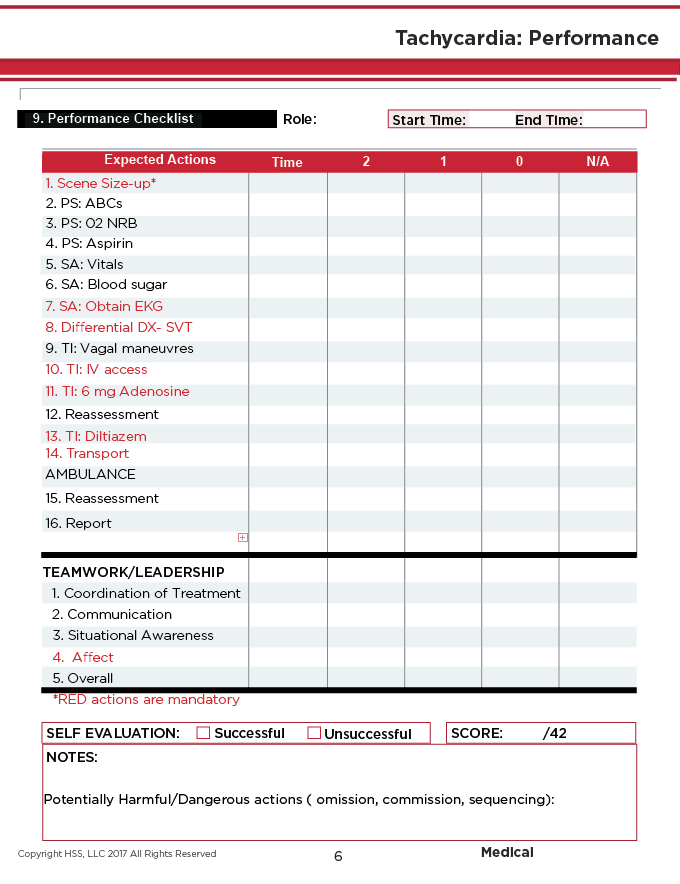
The instructor manual includes printed performance checklists for each scenario. These provide a detailed rubric for assessment:
Checklist Components
| Section | Description |
|---|---|
| Expected Actions | Numbered list of clinical actions with scoring columns |
| Time column | Record when each action was performed |
| Scoring | 2 (fully correct), 1 (partial), 0 (not performed), N/A |
| Teamwork / Leadership | Coordination, Communication, Situational Awareness, Affect, Overall |
| Self Evaluation | Successful / Unsuccessful checkbox |
| Score | Total score out of maximum (e.g., /42) |
| Notes | Space for potentially harmful or dangerous actions |
Mandatory Actions
In the printed checklists, items shown in red are mandatory actions. These must be performed for the scenario to be considered successful.
Emailing Checklists
At the end of a scenario, completed checklists can be emailed to the instructor for permanent storage and record-keeping.