
Scenario Library
Browse, launch, and advance through pre-built clinical scenarios in SimVS Hospital.
The SimVS Hospital Series comes with a library of pre-built clinical scenarios. Each scenario simulates a patient encounter with multiple parts that progress through different physiologic states.
Launching a Scenario
Open the Library (Instructor)
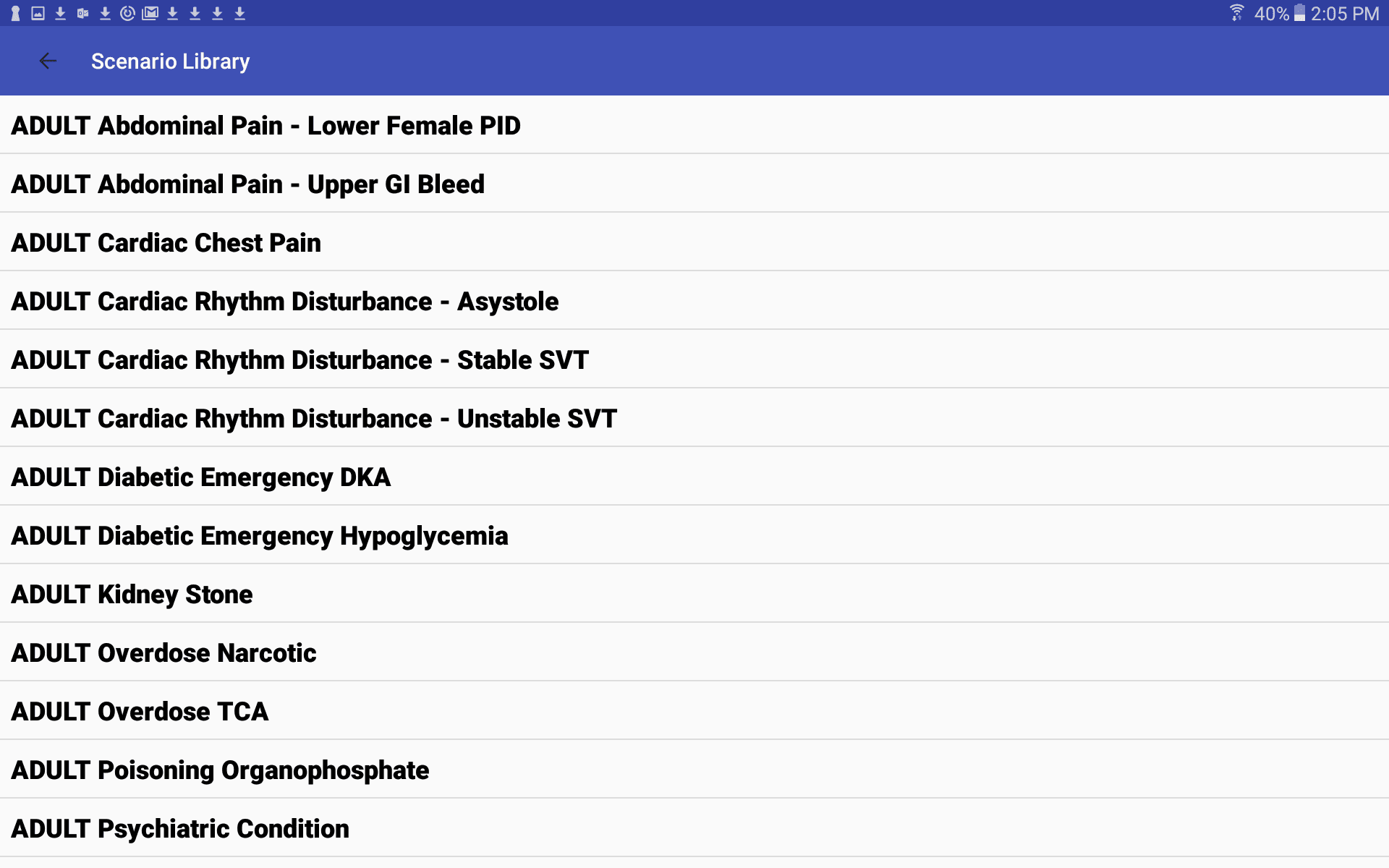
On the instructor tablet, tap Select Scenario and choose a category to open the Scenario Library.
Select a Scenario
The library displays all available scenarios in alphabetical order. Tap a scenario name to select it.
Select a Monitor (Student)
On the student tablet, use Select Monitor to choose the display interface for your scenario.
Start the Simulation
Tap Start Simulation on both the instructor and student tablets. The student tablet will display the selected monitor with the scenario's waveforms and vitals. For a complete walkthrough, see Quick Start.
Scenario Structure
Each scenario consists of multiple parts that define the patient's physiologic state over time. A typical scenario includes:
- HOME — initial baseline state
- Start — presentation of the clinical condition
- Deteriorate 1 / 2 — worsening patient status
- Improve — recovery phase after correct interventions
Instructor Manual
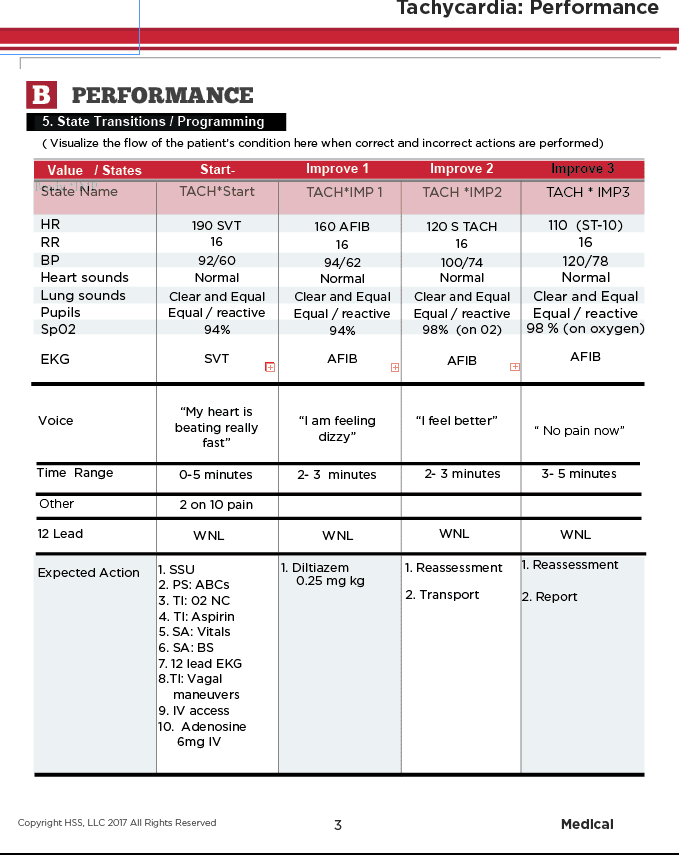
The printed instructor manual includes detailed descriptions of each pre-programmed scenario, including:
- Physiology values for each state (HR, RR, BP, SpO2, EKG, etc.)
- Voice prompts the patient will say
- Time ranges for each part
- Expected clinical actions
Editing On the Fly
While a scenario is running, instructors can make real-time changes from the Edit screen. See Creating & Editing Scenarios for details on the Edit screen and parameter controls.