
Telemetry
Display up to 4 patient cardiac rhythms and physiologic parameters simultaneously using the telemetry feature.
Telemetry allows instructors to display up to 4 cardiac rhythms and physiologic parameters on a single screen simultaneously.
Instructor and Simulation Technician Deep Dive
For a complete instructor-and-learner walkthrough, including connection setup, the scenario library, multi-patient monitoring, rhythm and vital-sign changes, and patient matching, watch the full deep dive.
Student View
When telemetry is selected on the student app, the instructor can choose to display 1 to 4 patients. Each patient strip shows:
- ECG waveform — real-time cardiac rhythm
- HR — heart rate in bpm
- SpO2 — oxygen saturation percentage
- NIBP — blood pressure reading
- Play/Pause controls — for each individual patient
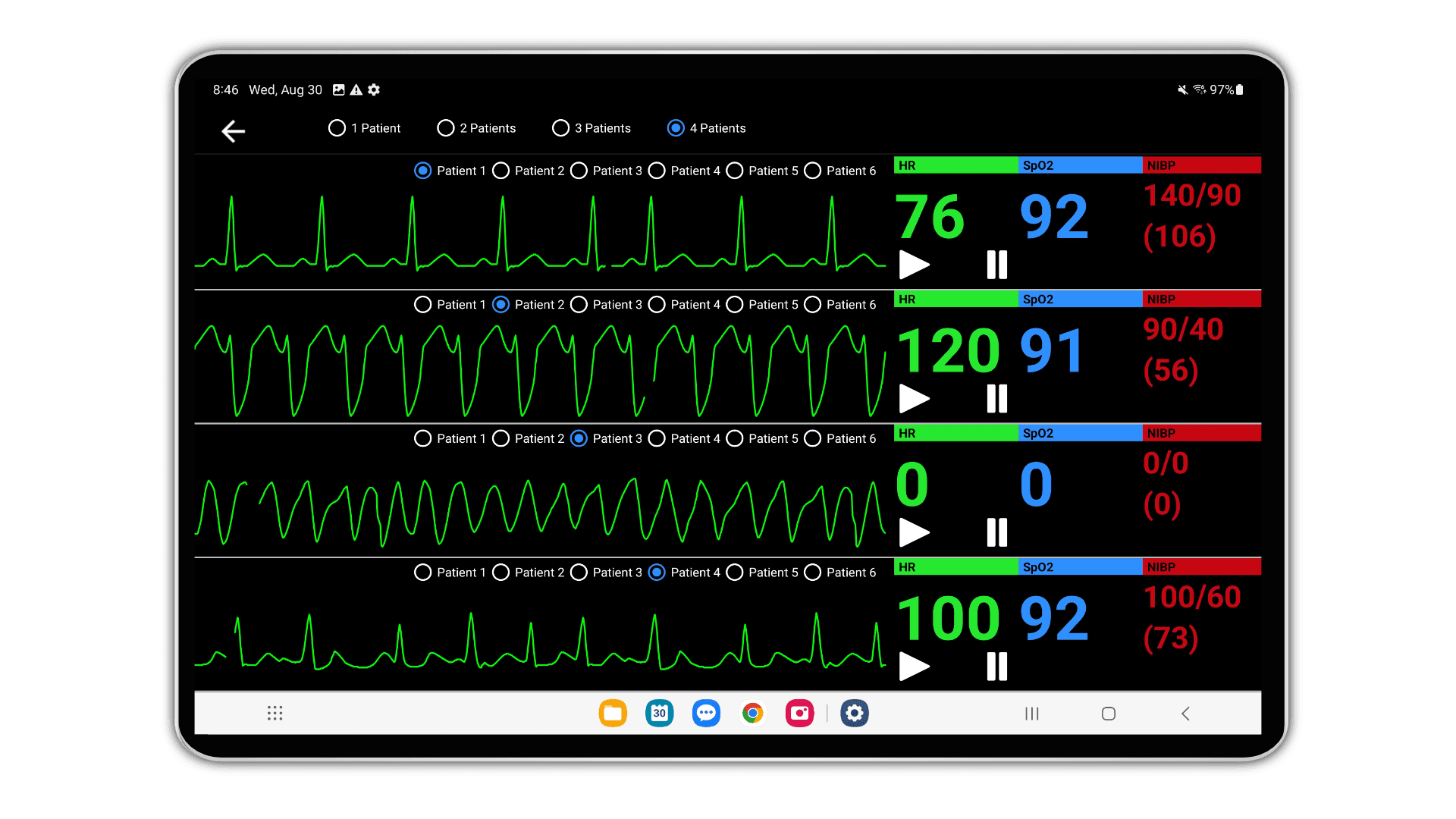
Patient Selection
Each patient strip includes tabs (Patient 1 through Patient 6) allowing the instructor to assign which patient data appears in each row.
Instructor Configuration
On the instructor tablet in the Edit screen, the instructor selects the cardiac rhythm for each patient (1 through 4) using the TOP navigation patient selector buttons (P1, P2, P3, P4, P5, P6).
Each patient can have independently configured:
- Cardiac rhythm and heart rate
- Blood pressure values
- SpO2 and respiratory parameters
- All other scenario physiology